

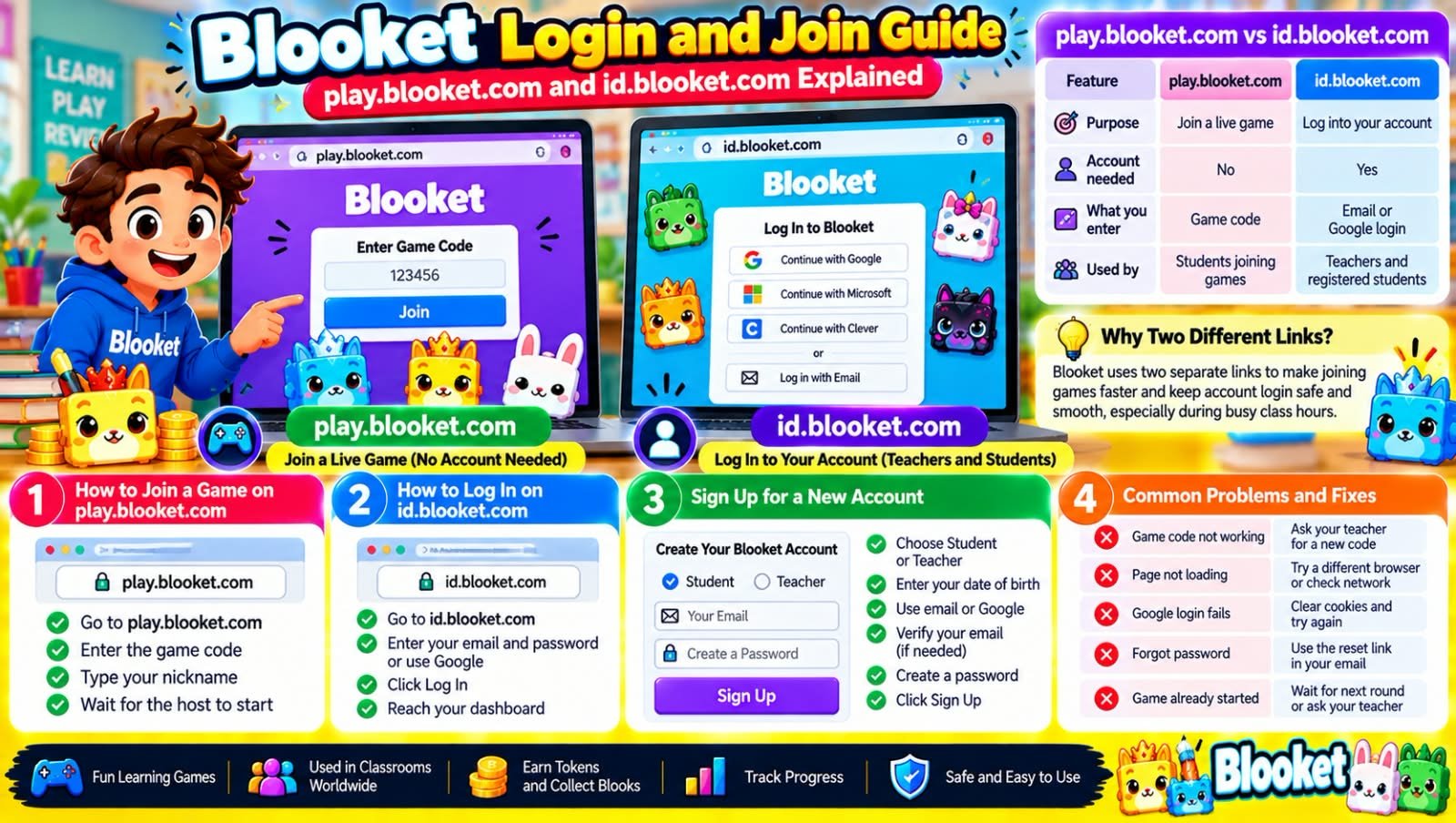
Blooket has become one of the most popular tools in classrooms today. Teachers use it to turn boring quizzes into fun games, and students use it to review lessons without feeling like they are studying. But many people still get confused between the two main links connected to this platform: play.blooket.com and id.blooket.com. This guide clears up the confusion and shows you exactly how each one works.
What Is play.blooket.com?
play.blooket.com is the page you use when you want to join a live game that a teacher or host has already started. You do not need an account for this. All you need is the game code your teacher gives you in class.
Here is how it works step by step:
- Open play.blooket.com in any browser.
- Type in the game code shown on your teacher’s screen.
- Enter a nickname that your teacher can recognize.
- Wait on the screen until the host starts the round.
That’s it. No signup, no password, no waiting for approval. This page exists purely to get players into a game as fast as possible.
What Is id.blooket.com?
id.blooket.com is a different page with a different job. This is where you log into your actual Blooket account. Teachers use this to build question sets, host games, check class results, and manage their dashboard. Students who want to save their progress, track their Blooks, or play solo study modes also use this page to sign in.
To log in through id.blooket.com, follow these steps:
- Go to id.blooket.com.
- Enter your email and password, or choose the Google sign in option if your school uses that.
- Click login and wait for your dashboard to load.
- If you forgot your password, click the reset option and check your email for the link.
Students signing up for the first time can also create a new account from this same page by choosing the student option during signup.
play.blooket.com vs id.blooket.com: The Main Difference
A lot of people search for this comparison because the two links look similar but do completely different things.
| Feature | play.blooket.com | id.blooket.com |
|---|---|---|
| Purpose | Join a live game | Log into your account |
| Account needed | No | Yes |
| What you enter | Game code | Email or Google login |
| Used by | Students joining class games | Teachers and registered students |
In short, play.blooket.com gets you into a game quickly, while id.blooket.com gives you full access to your personal account and all its saved data.
Why Does Blooket Use Two Separate Links?
This setup actually makes the whole platform run smoother. Game codes change constantly since every class session needs a new one, so keeping the join page separate from account login means players can jump in within seconds, without typing a password every single time. Meanwhile, the login page stays protected and separate for anyone who needs to manage sets, classes, or long term progress. Splitting these two jobs across different pages reduces loading time and keeps the system less crowded during busy school hours.
Common Problems Students Face and How to Fix Them
Game code not working. Codes expire once a session ends or the host closes the game. Ask your teacher for a fresh code rather than reusing an old one.
Page stuck on a white screen. This usually happens because of a school network block. Try switching to a different browser, or ask your IT department to unblock blooket.com domains.
Google login fails. Clear your browser cookies and try signing in again. If that does not work, use the email and password method instead.
Forgot password on id.blooket.com. Click the forgot password link on the login page, check your inbox for a reset email, and follow the instructions sent to you.
Game already started. Some hosts turn off late joining. If this happens, you will need to wait for the next round or ask your teacher to allow latecomers in the settings.
Is It Safe to Join a Blooket Game Without an Account?
Yes, joining without an account through play.blooket.com is completely normal and safe. The platform was built this way on purpose so classrooms with young students or shared devices could join quickly without creating logins for every child. Just make sure you are typing play.blooket.com correctly, since several fake copycat sites try to imitate Blooket’s design to collect personal information.
Frequently Asked Questions
What is the difference between blooket.com and play.blooket.com?
blooket.com is the main website where you manage your account, create question sets, and host games. play.blooket.com is only for joining a game someone else has already started.
Do I need to log in to play a Blooket game?
No. If you are joining a live class game, you only need the game code. Logging in through id.blooket.com is only needed if you want to track stats or play saved games on your own.
Why does id.blooket.com ask me to sign in with Google?
Many schools connect Blooket accounts to Google Workspace for easier and safer access. If your school set this up, Google sign in will usually be faster than typing a password.
Can teachers and students use the same login page?
Yes. Both teachers and students use id.blooket.com to log in, but the dashboard and tools shown will differ depending on which role was chosen during signup.
What should I do if play.blooket.com will not load?
Refresh the page first, then try a different browser or device. If the problem continues, it is often a school network restriction rather than a problem with your account.
Final Thoughts
Once you understand that play.blooket.com is for joining games and id.blooket.com is for logging into your account, the whole platform becomes much easier to use. Bookmark both links separately so you are never confused about which one to open next time your class plays a round of Blooket.
Explore More:
