

If you write a lot, you probably check your word count more than you’d like to admit. Students do it before submitting essays. Teachers do it when grading. Marketers do it before publishing a blog post. UploadWords.com is one tool built just for this job, and it adds a few extras that make it worth a look.
This article walks through what the tool does, who it suits, and the common questions people ask before trying it.
What Is UploadWords.com
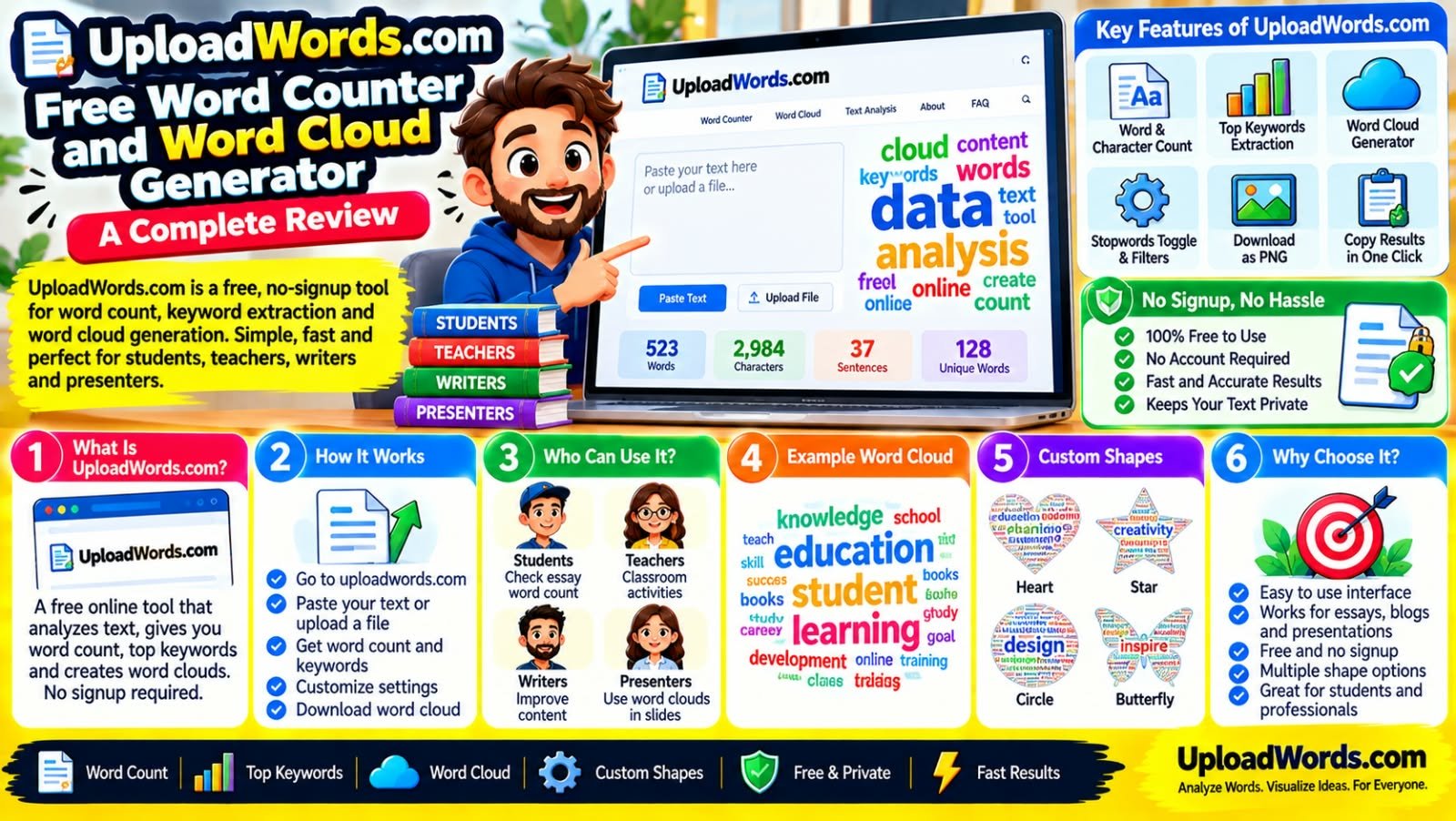
UploadWords.com is a free online tool that analyzes text. You paste your content or upload a file, and it gives you the word count, character count, and a list of your most used words. It also turns that word list into a word cloud, which you can download as a PNG image.
There is no signup form and no account to create. You open the site, drop in your text, and get results right away.
Main Features
Word and character count
This is the core function. You get an instant count the moment you paste your text, so there is no waiting around.
Top keywords
The tool scans your content and shows which words appear most often. This helps you spot repeated words you might want to vary, or confirm that your main topic actually shows up enough times.
Word cloud with PNG download
Once the keywords are pulled out, UploadWords builds a word cloud from them. The words you used most appear bigger, and you can download the finished image to use in a presentation, report, or poster.
Stopwords toggle and minimum word length filter
Common words like “the,” “is,” and “and” can crowd out the words that actually matter. UploadWords lets you filter these out, plus set a minimum word length, so your word cloud and keyword list stay meaningful.
Copy results in one click
If you just need the numbers for a report, you can copy them directly instead of taking screenshots.
How to Use It
- Go to uploadwords.com.
- Paste your text, or upload a file.
- Check your word count, character count, and top keywords on screen.
- Adjust settings if you want to filter out stopwords or short words.
- Download your word cloud as a PNG, or copy your results.
The whole process takes under a minute for most documents.
Who Benefits From This Tool
Students
Before submitting an essay or assignment, students can check their word count against the limit set by a teacher. The word cloud also works as a quick check. If your essay is about climate change but “things” and “stuff” are the biggest words, that’s a sign to tighten your writing.
Teachers
Word clouds are a handy classroom activity. Teachers can paste in a poem, speech, or article and ask students to guess the theme from the biggest words on screen. It’s a simple way to start a discussion.
Writers and bloggers
Writers can use the keyword list to see if they’re repeating the same words too often, or check whether their target keyword appears enough times for SEO purposes, without stuffing it in unnaturally.
Presenters
Anyone building a PowerPoint or Google Slides deck can generate a word cloud and drop the PNG straight into a slide. It’s a fast way to add a visual without hiring a designer.
Anyone making a custom-shaped word cloud
UploadWords also supports shape-based word clouds, such as hearts or circles, which work well for gifts, event displays, or branded graphics.
Why People Trust This Tool
A few things stand out about UploadWords.com compared to other free tools in this space:
- No signup required. You don’t hand over an email address just to count words.
- Privacy-first approach. The site states it does not require an account and focuses on keeping your text private rather than storing it.
- Fast results. There’s no loading screen or processing delay for normal-length text.
- Direct support. The site lists a support email (admin@uploadwords.com) for anyone who runs into an issue, which is more transparent than many free tools offer.
Frequently Asked Questions
Is UploadWords.com really free?
Yes. It’s completely free to use, with no subscription or hidden charges.
Do I need to create an account?
No. You can paste your text or upload a file and get results immediately, without signing up.
Can I download the word cloud as an image?
Yes. Once your word cloud is generated, you can download it as a PNG file.
Does it work for essays and school assignments?
Yes. Many students use it specifically to check word count before submitting an assignment, and the word cloud can help them spot if their writing drifts off-topic.
Can I keep phrases together instead of splitting them into single words?
UploadWords supports a phrase-based approach for users who want multi-word terms, like “machine learning,” to stay together instead of being broken into separate words.
Is it good for PowerPoint or Google Slides?
Yes. You can generate the word cloud, export it as a PNG, and insert it directly into your slides.
Can I make a word cloud in a specific shape, like a heart?
Yes. The tool supports shape-based word clouds for things like hearts, circles, and other custom designs.
Final Thoughts
UploadWords.com covers the basics well: word count, character count, keyword extraction, and word cloud creation, all without asking for an account. For students checking an assignment, teachers planning a lesson, or anyone who needs a quick word cloud for a slide, it does the job without extra steps getting in the way.
Explore More:
